Designing an Inbox & Form Experience
Project Context
🤔 About Project
Balance of Nature is a company that sells fruit and vegetable supplements. The company has been growing rapidly over the past few years, which has created a need for custom software to better support their team. Balance of Nature came to us with the challenge of updating their Comm Program.
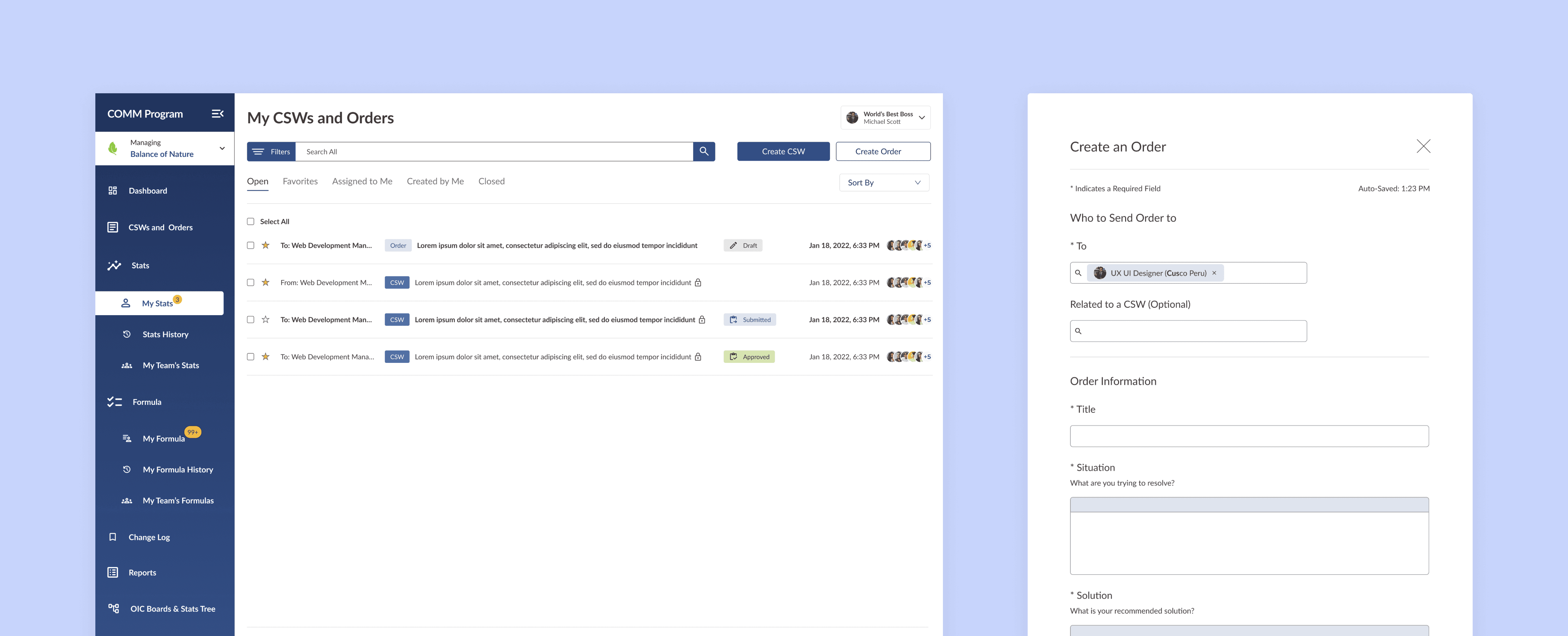
The Comm Program is an internal tool designed to improve communication, organize workflows, and manage and analyze company statistics and project approvals. My task was to design the Comm Program inbox screen and establish the foundation for the forms design.
(Client)
Balance of Nature
(My Role)
UX & UI Designer
(Project Type)
Employee Stat Reporting Dashboard
(Industry)
Work Management
(Team)
Balance of Nature
The Challenge
Balance of Nature already had a Comm Program, but it was outdated and needed to be redesigned to ensure it was future-proof and able to support new features as the platform evolved. One of the main issues with the existing Comm Program was that users were losing track of CSW forms. These forms are critical for approving tasks and other high-priority requests, yet the lack of visibility made them difficult to manage. This wasn’t just an inconvenience, it led to breakdowns in accountability, slowed project progress, and negatively impacted team morale.
Discussions with stakeholders revealed that managers often didn’t know where to locate specific CSWs, or they felt overwhelmed by the volume of information and the complex layout. Meanwhile, team members felt their submissions and progress were going unnoticed, leading to frustration and missed opportunities for alignment and improvement.
Business Requirements
The business objectives for this part of the project was to set the foundation for the overall design of the new comm program, increase productivity by giving managers and staff a clear and efficient way to view, track, and submit CSW and Order forms within a centralized experience. By improving visibility and prioritization, the platform helps ensure CSWs are acknowledged and acted on in a timely manner. Closing this feedback loop reduces delays, strengthens accountability, and ultimately supports better team outcomes by minimizing missed approvals and unclear next steps.
What I Did
Redesign the Comm Program to modernize the experience, layout, feel, and support future feature expansion.
Design a clear and intuitive sidebar navigation to improve discoverability and reduce cognitive load.
Create an inbox-style CSW & Order status screen with tags and priority indicators to improve visibility and task management.
Simplify the Create & Review Order forms to reduce friction, minimize errors, and improve completion efficiency
Discovery & Research
Kick-off Meeting
I met with stakeholders, the product owner, & business analyst, lead developer, and other UX/UI designer to get aligned. We reviewed progress, discussed communication and stat-tracking challenges, clarified objectives, and defined success. I left with a clear understanding of the program’s gaps, the team’s support, and documentation for next steps.
Understanding the Project
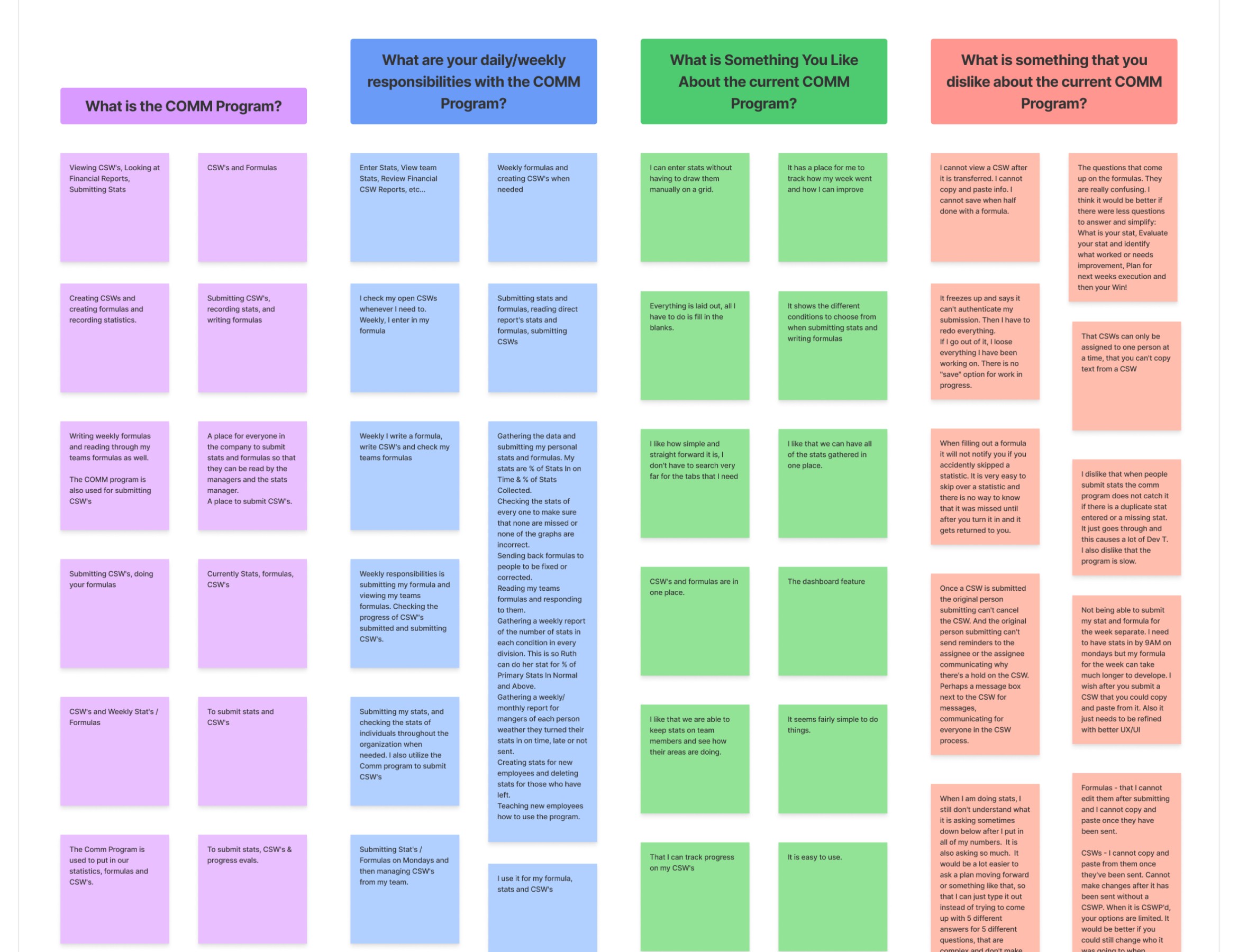
I began by understanding the problem space through stakeholder meetings, user interviews, and surveys. I created an affinity map to help me see themes and patterns.
What I Did
Redesign the Comm Program to modernize the experience, layout, feel, and support future feature expansion.
Design a clear and intuitive sidebar navigation to improve discoverability and reduce cognitive load.
Create an inbox-style CSW & Order status screen with tags and priority indicators to improve visibility and task management.
Simplify the Create & Review Order forms to reduce friction, minimize errors, and improve completion efficiency